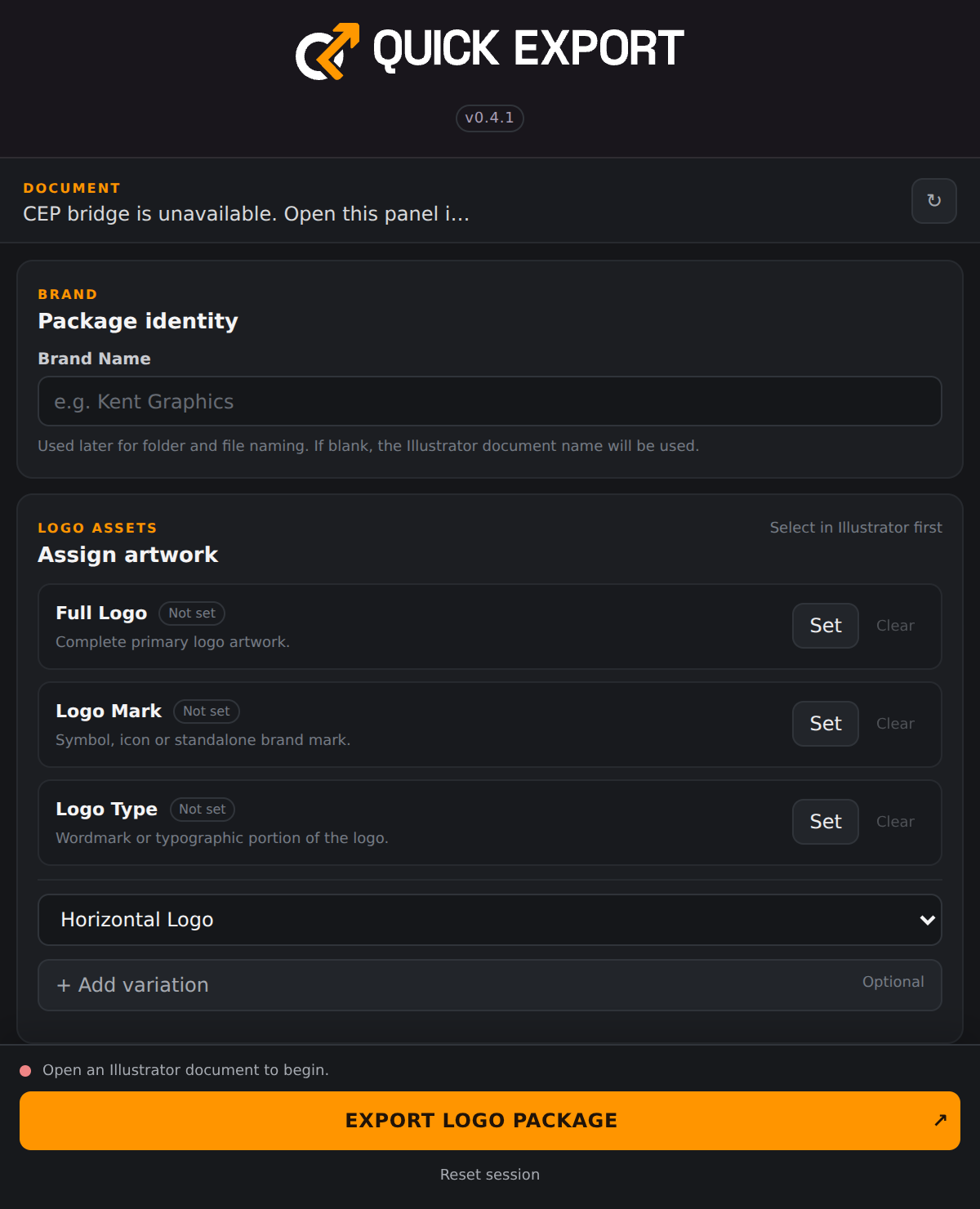
01 / ASSIGN LOGO ASSETSTell the exporter what to package.
Select artwork in Illustrator and assign it as Full Logo, Logo Mark or Logo Type. Give the package a brand name so exported folders and files have useful names.
- Separate assignments for the complete logo, symbol and wordmark.
- Uses the Illustrator document name if the brand name is blank.
- Export only the assets you have assigned.
02 / ADDITIONAL VARIATIONSInclude the versions the brand needs.
Add horizontal, stacked, vertical, monochrome, black, reversed, icon-only or custom-named logo variations. Each variation gets its own artwork assignment and organised output location.
- Set, replace, clear or remove optional variations.
- Unassigned optional variations are skipped.
- Custom names support project-specific logo versions.
03 / COLOUR VERSIONSBuild original, black and white outputs.
Choose which colour versions to export. Black and white versions are made from temporary copies, so the exporter does not recolour your original Illustrator artwork.
- Enable Original, Black and White independently.
- Supports ordinary vector paths, groups, compound paths, strokes and editable text.
- Placed and raster artwork is not converted into recoloured vector artwork.
05 / ORGANISED DELIVERYTurn a batch into a clear handover.
Choose an export folder and enable the organised folder structure. The package separates formats, assets, variations and raster sizes, with filenames distinguishing the original, black and white versions.
- Separate SVG, PNG, JPG, EPS, PDF and AI format folders.
- PNG and JPG assets are grouped by selected size.
- Temporary export artwork is cleaned up after processing.